
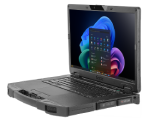
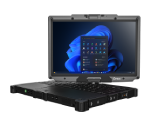
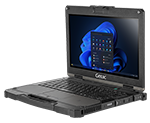
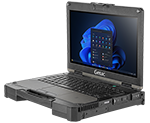
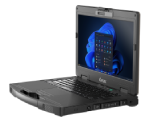











GETAC ESSENTIAL UTILITIES
Software Tools That Maximize
Rugged Device Performance

Getac Essential Utilities are a suite of software tools designed to enhance the reliability, performance, and lifecycle of Getac rugged devices used in demanding environments. Whether deployed in utilities, public safety, manufacturing, or field services, these utilities help organizations reduce downtime, manage device fleets at scale, and maintain consistent operational performance in the field.
Essential Utilities work across Windows and Android Getac devices, providing capabilities for diagnostics, updates, customization, data capture, and barcode configuration. Together, these tools support efficient field operations and IT administration across distributed teams.
REDEFINE PRODUCTIVITY WITH GETAC ESSENTIAL UTILITIES.
Usability and Functionality Amplified.
WHY ESSENTIAL UTILITIES MATTER
Rugged devices operate in extreme conditions: heat, rain, dust, vibration, and constant mobility.Essential Utilities ensure that these devices remain:
Healthy through proactive hardware diagnostics
Maintained with guided firmware and driver updates run on demand
Customizable for field workflows
Traceable for troubleshooting
Consistent across large fleets
By combining these functions, Essential Utilities reduce total cost of ownership, enhance devicereliability, and strengthen workforce productivity.
ESSENTIAL UTILITIES OVERVIEW
Below are the six major utilities included in the Getac Essential Utilities suite.
Log Tool (Android) - Field Diagnostics and Troubleshooting
Log Tool enables IT teams and field workers to quickly capture system logs,screenshots, and diagnostic data from Android devices. It simplifies root-cause identification by gathering information from:
Apps and system processes
Network and Bluetooth modules
Kernel and OS-level logs
Key Features
Floating log button for access in any app
Timestamp markers and annotation
Keyword filtering for fast troubleshooting
Secure log transfers to IT support teams
Multiple Language Support
Ideal for organizations using Android Enterprise to manage large fleets of devices across remote locations.
Diagnostic Utility (Android) - Health Checks
Diagnostic Utility provides guided hardware health checks for Getac Androiddevices running Android 12 and above. Health checks are initiated by the user andhelp identify potential component issues before they impact field operations. Testsinclude:
Display and touch
Cameras
Sensors
Connectivity modules
Buttons and speakers
Key Features
Automatic component detection
Full hardware profile and test reports
Easy shift-start health checks
Prevents mid-shift equipment failures
This tool supports proactive maintenance and reduces costly device downtime.
SmartUpdate (Windows) - One-Click BIOS, Driver, and Firmware Updates
SmartUpdate helps users check, download, and install updates for Windows-based Getacdevices through a guided, one-click workflow. Users can launch SmartUpdate whenneeded to run updates on demand, making it easy to keep BIOS, firmware, drivers, andGetac software current in a controlled way.
Capabilities:
BIOS and EC firmware updates
Driver updates
Getac software updates
Integrity checks
Automatic BitLocker handling
SmartUpdate reduces IT overhead, ensures standardized configurations, and integrates with enterprise tools such as Microsoft SCCM and Intune.
G-Utility (Windows) - Customization and System Control
G-Utility provides Windows users with a central interface for accessing device status andcustomizing device behavior.
Features include:
Battery monitoring
Power profile management
Touchscreen mode switching
System info display
Button programing
G-Utility enhances usability for workers who need quick access to system functions during field operations, emergency response, or mobile deployments.

G-Camera (Windows) - Professional Photo and Video Capture
G-Camera transforms the built-in camera on Getac Windows devices into a powerfulfield documentation tool.
Capabilities:
Photo/video capture
Barcode scanning
Annotations and editing
Geolocation metadata
Ability to watermark a photo with important information
Multi-mode shooting (burst, time-lapse, manual)
Designed for inspections, incident reporting, utility asset documentation, and any scenario requiring accurate visual records.
Barcode Manager (Windows) - Streamlined Barcode Scanner Configuration
Barcode Manager makes it easy to configure and deploy barcode scanning workflows acrossGetac devices.
Features:
Trigger configuration
Symbology selection
Output formatting
Scanner behavior control
Import/export of configurations
13-language support
Ideal for logistics, warehousing, transportation, and asset management.
G-Thermo
G-Thermo is the intuitive advancement in thermal imaging software. This Windows application is designed to effectively integrate with the thermal camera capabilities of Getac devices, offering enhanced precision for temperature-mapped imaging. Users can effortlessly capture live thermal images, with essential image data, and save their work in JPG format for easy sharing and analysis.
The software's robust feature set includes both manual and automatic calibration options, dual preview modes (thermal and visual images), various thermal palettes, and spot meter functionalities, providing a comprehensive solution for professional thermal analysis. G-Thermo's intuitive gallery and user-friendly settings ensure smooth management of images and personalized user experience, making it an indispensable asset for any professional requiring reliable and accurate thermal imaging.
G-Thermo functions exclusively on Getac devices equipped with the optional thermal camera.
Key Features
Thermal Imaging & Live Preview
Dual Preview Modes
Manual & Automatic Temperature Range
Multi-point Spot Meter
Thermal Visualization Palettes
Gallery & Image Management
KEY BENEFITS FOR FIELD OPERATIONS
1.Reduced Device Downtime
Proactive diagnostics
Scheduled maintenance
Maintained with guided firmware and driver updates
2.Faster Troubleshooting
Complete logs with screenshots and annotations
Remote diagnosis
Reduced trial-and-error support effort
3.Improved Workforce Productivity
Shorter training time
Faster field documentation
Fewer workflow interruptions
4.Simplified IT Administration
Centralized update deployment
Standardized fleet configurations
MDM integration
5.Consistent Device Performance
Health monitoring
Hardware checks
Update compliance
ESSENTIAL UTILITIES SOFTWARE SOLUTIONS ARE STRENGTHENED BY OUR WORLD CLASS
SERVICE AND SUPPORT
SERVICE AND SUPPORT

Service
- Main Unit Warranty Extension
- Battery Warranty Extension
- Keep your SSD / HDD Warranty
- Getac Office Dock Warranty
- 3rd Party Vehicle Dock Warranty

Support
- Self-maintainer
- Drivers & Manuals
- Product Registration
- FAQ & Help
- Online Support
- Getac Diagnostic Assistant
- Getac System Recovery
- Warranty Check
All trials of Getac Software are subject to our Trial License Agreement.
All Getac Software use is subject to our Software License Agreement.
FREQUENTLY ASKED QUESTIONS (FAQ)
A suite of diagnostic, update, customization, and capture tools that enhance rugged device performance.
Diagnostic Utility, Log Tool, and SmartUpdate all reduce failure rates and troubleshooting time.
Yes—SmartUpdate supports OTA updates and command-line mass deployment.
Getac utilities can support managed deployments, but capabilities vary by tool and platform. On Android, utilities operate within standard Android management environments and follow device policies configured through Android Enterprise and your chosen EMM/MDM platform. On Windows, SmartUpdate is designed for user-initiated updates through its one-click workflow. For larger deployments, SmartUpdate can be invoked via command-line execution in environments that use remote scripting, subject to availability and release status of the SmartUpdate CLI.
No. Essential Utilities are included as part of the Getac device ecosystem. On Android, the utilities are typically pre-installed on supported devices. On Windows, some utilities may be pre-installed, while others may be available as downloads through Getac Support depending on the model and configuration (for example, SmartUpdate may not come pre-installed on all devices).
No. Each is optimized for a specific platform.
GLOSSARY OF TERMS
- OTA - Over-the-air updates
- MDM — Mobile devicemanagement
- BIOS/EC - Firmware layers in Windows devices
- Symbology - Barcode type configuration