
























Security Update for Getac System Control Driver (GtcKmdfBs.sys) Input/Output Control (IOCTL) Vulnerability
Advisory ID: GETAC-SA-2026-001
Published: July 20, 2026
Last Updated: July 20, 2026
CVE ID: N/A (Refer to VMware Carbon Black LOLDrivers Report)
EUVD ID: N/A
Severity: High
CVSSv3.1 Score: 8.8 (CVSS:3.1/AV:L/AC:L/PR:L/UI:N/S:C/C:H/I:H/A:H)
Summary
Getac has released security updates to address an Input/Output Control (IOCTL) vulnerability found in the Getac System Control kernel driver (GtcKmdfBs.sys). A local attacker with low privileges could exploit this vulnerability to execute arbitrary code in Kernel Mode (Ring 0), leading to full local privilege escalation, or unauthorized access to physical memory and low-level firmware components.
Vulnerability Details
A vulnerability in the dispatch routine handling IOCTL codes within the GtcKmdfBs.sys driver allows insufficient access control validation. The driver inappropriately exposes dangerous low-level hardware communication primitives (such as arbitrary physical memory mapping or Port I/O) to standard user-mode applications without enforcing administrator-level permissions.
An attacker who has already established a local presence on a vulnerable system could send malicious IOCTL requests via the DeviceIoControl API to gain Kernel Mode execution rights. Furthermore, due to its valid cryptographic digital signature, this driver can be targeted in Bring Your Own Vulnerable Driver (BYOVD) attack campaigns on non-Getac hardware platforms to blind Endpoint Detection and Response (EDR) or antivirus tools.
Affected Products and Scope
The GtcKmdfBs.sys driver is bundled with the Getac Utility / System Driver used for hardware diagnostics, battery health profiling, and physical key mapping.
Known Vulnerable Driver Hashes:
Filename: GtcKmdfBs.sys
SHA-256
| Version | SHA-256 |
|---|---|
| V21.2.0.5 | 92b61721db4ea5f1cef5e06cfbcf12f129c6800b53d90891d21b4901cc57974c |
| V21.2.0.4 | 4b465faf013929edf2f605c8cd1ac7a278ddc9a536c4c34096965e6852cbfb51 |
Affected Models:
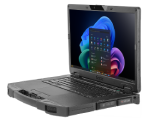
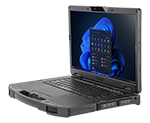
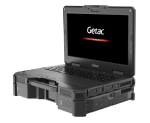
The following Getac ruggedized models running Windows 10 or Windows 11 are affected if utilizing driver versions prior to v21.2.0.6:
| Model | Latest Driver |
|---|---|
| UX10G3 | https://support.getac.com/Portal/Page/809 APP and Utility or Individual Driver > BIOS Service / BIOS Provider Driver |
| UX10G2 | https://support.getac.com/Portal/Page/809 APP and Utility or Individual Driver > BIOS Service / BIOS Provider Driver |
| V110G7 | https://support.getac.com/Portal/Page/809 APP and Utility or Individual Driver > BIOS Service / BIOS Provider Driver |
| V110G6 | https://support.getac.com/Portal/Page/809 APP and Utility or Individual Driver > BIOS Service / BIOS Provider Driver |
| F110G7 | https://support.getac.com/Portal/Page/809 APP and Utility or Individual Driver > BIOS Service / BIOS Provider Driver |
| F110G6 | https://support.getac.com/Portal/Page/809 APP and Utility or Individual Driver > BIOS Service / BIOS Provider Driver |
| F110G5 | https://support.getac.com/Portal/Page/809 APP and Utility or Individual Driver > BIOS Service / BIOS Provider Driver |
| S410G5 | https://support.getac.com/Portal/Page/809 APP and Utility or Individual Driver > BIOS Service / BIOS Provider Driver |
| S410G4 | https://support.getac.com/Portal/Page/809 APP and Utility or Individual Driver > BIOS Service / BIOS Provider Driver |
| B360G2 | https://support.getac.com/Portal/Page/809 APP and Utility or Individual Driver > BIOS Service / BIOS Provider Driver |
| B360 | https://support.getac.com/Portal/Page/809 APP and Utility or Individual Driver > BIOS Service / BIOS Provider Driver |
| A140G2 | https://support.getac.com/Portal/Page/809 APP and Utility or Individual Driver > BIOS Service / BIOS Provider Driver |
| X500G3 | https://support.getac.com/Portal/Page/809 APP and Utility or Individual Driver > BIOS Service / BIOS Provider Driver |
| X600 | https://support.getac.com/Portal/Page/809 APP and Utility or Individual Driver > BIOS Service / BIOS Provider Driver |
| K120G3 | https://support.getac.com/Portal/Page/809 APP and Utility or Individual Driver > BIOS Service / BIOS Provider Driver |
| K120G2 | https://support.getac.com/Portal/Page/809 APP and Utility or Individual Driver > BIOS Service / BIOS Provider Driver |
| K120 | https://support.getac.com/Portal/Page/809 APP and Utility or Individual Driver > BIOS Service / BIOS Provider Driver |
| T800G2 | https://support.getac.com/Portal/Page/809 APP and Utility or Individual Driver > BIOS Service / BIOS Provider Driver |
Remediation & Mitigation
Getac strongly recommends that all customers apply the necessary updates or mitigation strategies promptly based on their specific hardware deployment environment.
Category A: Action Plan for Getac Device Owners
If you are managing or operating official Getac ruggedized notebooks or tablets:
- Primary Resolution (Update Driver): Go to the official Getac Help & Support > Drivers & Documents portal. You can obtain the remediated driver via either of the following methods:
- Enter your device's unique hardware Serial Number for direct access.
- Use the manual Dropdown Menu to select your Product Category (Notebook/Tablet), followed by your specific Model.
- Remediated Version: Download and install the latest Getac BIOS Provider driver. Ensure the driver version is v21.2.0.6 or later.
- Verification: Right-click
C:\Windows\System32\drivers\GtcKmdfBs.sys, select Properties -> Details, and verify that the File Version is 21.2.0.6 or higher.
Category B: Action Plan for General Mitigation for Enterprise Environments
If your organization does not run Getac hardware, but your security tools have flagged GtcKmdfBs.sys, it indicates a high probability of a BYOVD attack vector payload.
- Service Removal: Open an elevated Command Prompt (cmd.exe run as Administrator) and run the following commands to immediately halt and unregister the driver service:
- DOS
sc stop GtcKmdfBssc delete GtcKmdfBs
- Enable Microsoft Vulnerable Driver Blocklist: Ensure that the Microsoft Vulnerable Driver Blocklist feature is enabled on all Windows 10 and 11 endpoints. This feature is integrated into Windows Security under Device Security > Core Isolation > Memory Integrity. Enabling Memory Integrity automatically activates Microsoft's blocklist, which prevents known vulnerable third-party drivers (including legacy versions of GtcKmdfBs.sys) from being loaded into the kernel space.
- SIEM / EDR Controls: Deploy the SHA-256 hash listed above into your EDR/SIEM blocklist to continuously monitor and suppress unauthorized driver loading events across non-Getac endpoints.
Acknowledgments
Getac thanks Takahiro Haruyama of the VMware Carbon Black Threat Analysis Unit (TAU) for discovering and responsibly reporting this operational structural deficiency.
Reference Page:
https://blogs.vmware.com/security/2023/10/hunting-vulnerable-kernel-drivers.html
Disclaimer
All content and other information mentioned in this statement or offered arising from the issue described herein are provided on an “as is ” basis. Getac hereby expressly disclaims any warranties of any kind, express or implied, including without limitation warranties of merchantability, fitness for any particular purpose, non-infringement of intellectual property. All products, information, and figures specified are preliminary based on current expectations and Getac reserves the right to change or update any content thereof at any time without prior notice. Getac assessments have been estimated or simulated using Getac internal analysis or architecture simulation or modeling, and may not represent the actual risk to the users’ local installation and individual environment. Users are recommended to determine the applicability of this statement to their specified environments and take appropriate actions. The use of this statement, and all consequences of such use, is solely at the user’s own responsibility, risk, and expense thereof. In no event shall Getac or any of its affiliates be liable for any and all claims, damages, costs or expenses, including without limitation, loss of profits, loss of data, loss of business expectancy, compensatory, direct, indirect, consequential, punitive, special, or incidental damages or business interruption arising out of or in connection with related to the information contained herein or actions that the user decides to take based thereon. Getac reserves the right to interpret this disclaimer and update this disclaimer whenever necessary.